
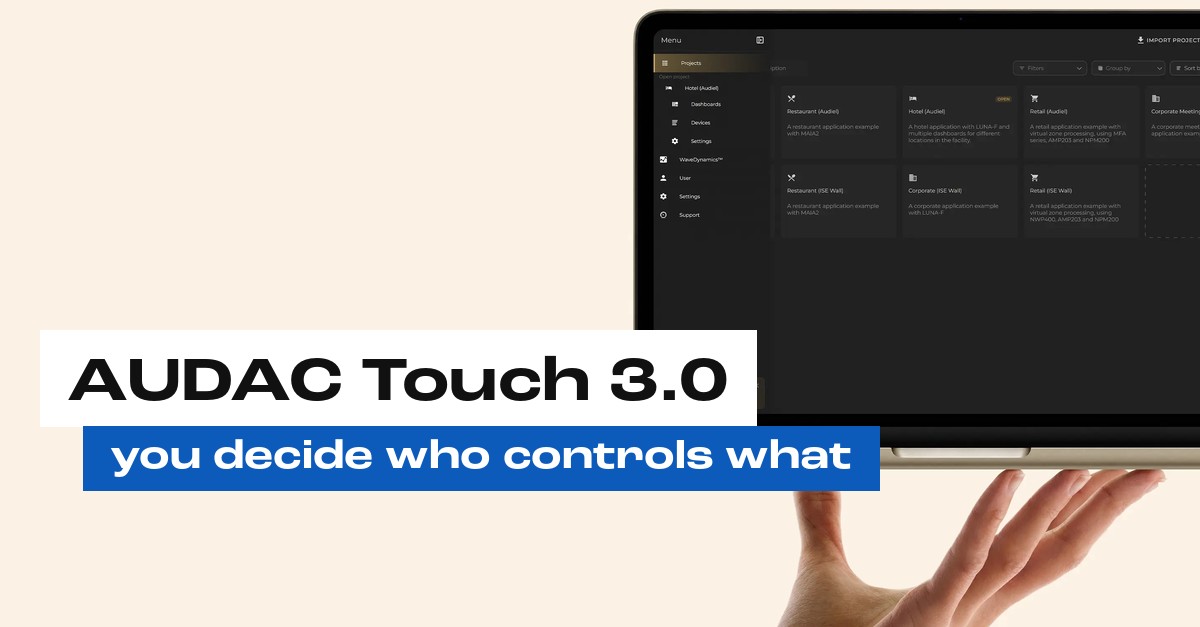
Your duty manager needs to be able to turn the music down on the terrace. Your Saturday staff don’t need access to the amplifier settings. With one shared login for the whole venue, that was hard to arrange.
At the end of September, AUDAC released version 3.0 of AUDAC Touch, the app you use to control an AUDAC sound system. The biggest change is called Projects. Here’s what it is and what it means for you.
What is AUDAC Touch?
With AUDAC Touch you choose the volume and music source for each zone, from your phone, tablet or computer. We use the same app to set up your system and build dashboards. A dashboard is a screen with exactly the buttons your team needs, and nothing more.
The app is free.
Projects: one installation, everything in one place
With Projects, everything for one installation sits in one place: the equipment, the dashboards, the people who have access and what they’re allowed to do. Run more than one venue? Then you manage them all from one account, each venue as its own project.
It works better for us as your installer too. Every client has their own project, kept separate from the rest.
You decide who sees what
For most venue owners this is the most important part of the update. You invite people with their own AUDAC Touch account and set what each person is allowed to do. An admin gets full access. A user only sees the dashboards you switch on for them.
In practice, your duty manager gets everything. Your floor staff get one dashboard with volume and music source per zone. And nobody needs to know the installer’s login any more.
What else has improved
Snapshots load faster. A snapshot is a saved setting for the whole system, for lunch or a party night for example, that you bring back with one tap.
You can now search, sort and filter dashboards and projects. Handy once you have more than a few.
And the Voice File Player, which plays pre-recorded messages, has more playback options.
Already running on AUDAC?
Then you don’t need to do anything. After the update, your existing installation sits in your Personal Project and stays available. If you want to work with separate projects and roles, we’ll move your installation over for you.
At Mondi Beach Club the team controls 10 zones through AUDAC Touch. With Projects we can give a team like that its own dashboard per role, with the bar and the terrace each getting their own buttons.
Next step
We are an official AUDAC Certified Partner. Want to know what AUDAC Touch 3.0 means for your venue, or not using AUDAC yet but curious? We’re happy to take a look with you. Get your AV checked for free, or call +31-(0)10-307 54 76.
Frequently asked questions
Does AUDAC Touch 3.0 cost anything?
The app is free to download.
Do I need to do anything after the update?
No. After the update, your existing installation sits in your Personal Project and stays available. If you want to work with separate projects and roles, we’ll move your installation over for you.
Can I manage several venues in one app?
Yes. From one account you manage several installations, each venue as its own project.
Can I decide what my staff can control?
Yes. For each person you choose whether they get full access or only the dashboards you switch on. Everyone logs in with their own account.
Does AUDAC Touch work with equipment from other brands?
Partly. AUDAC Touch can also control equipment from other brands through network commands. Whether that works with your equipment, we check case by case.
Read also:
- AUDAC installer in the Netherlands: why hospitality chooses this brand
- AUDAC sound systems
- Relax and unwind with AUDAC sound at Mondi Beach Club
Sources: AUDAC, AUDAC Touch 3.0 introduces Projects and more control, AUDAC Touch software page, AUDAC Education, Projects. Image: AUDAC.