
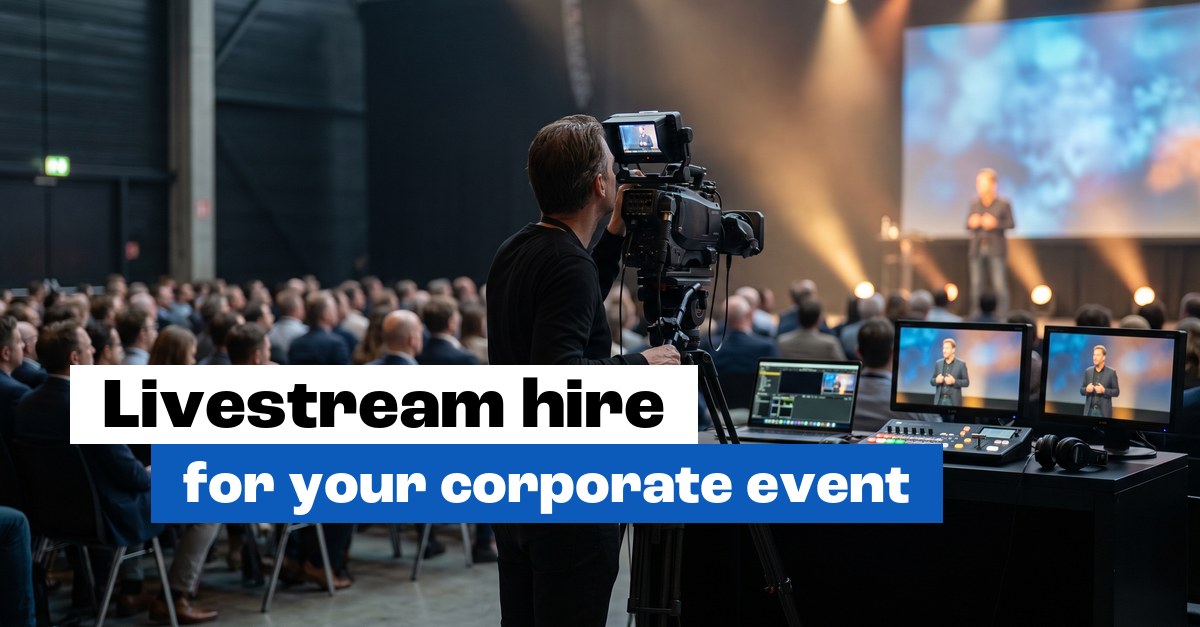
You’re organising a corporate event, and not everyone can make it. Colleagues at another office, clients abroad, speakers who can only join online. More and more often, there’s an online audience watching too. The real question is how good that looks and sounds.
An event livestream is a temporary production. We set it up for your day, run the stream, and take it all down again afterwards. A permanent hybrid meeting room with cameras in the ceiling works very differently. So what do you need, and how do the two differ?
First: this is a temporary production
Worth getting clear up front. A hybrid event livestream is hire for one moment, or a few days. We come in, set up the cameras, video, audio and streaming kit, run the broadcast, and clear everything away afterwards.
A permanent hybrid boardroom works differently: the tech lives in the ceiling and the table for good. Want your meeting room to be hybrid-ready every day? Then we’re talking about a fixed installation. Is it a conference, a shareholders’ meeting or a product launch on a single day? Then read on.
The cameras
It starts with the picture. For a speaker on stage, one good camera gets you a long way, as long as it’s in the right spot and stays in focus.
If you want more than a static shot, you use several cameras. A wide shot of the room, a close-up of the speaker, and perhaps a camera on the audience or a panel. The more cameras, the livelier the stream, and the more directing it takes. We’ll advise what suits the scale and the budget.
The vision mixer: from several cameras to one picture
With several cameras, you need someone or something to decide which picture the online viewer sees. That’s the job of a vision mixer, also called a switcher.
That’s where you cut live between the cameras, and where you bring in the presentation slides. When the speaker shows a chart, you cut to the slides and back to the speaker. Do it well and the stream feels like a broadcast. Skip it and your viewers are watching what looks like CCTV.
To the platform: the encoder and the stream
The finished picture still has to reach your online audience. That’s where the encoder comes in: it converts the signal and sends it to the streaming platform.
We stream to whichever platform you use: Teams for an internal audience, YouTube or Vimeo for a wider reach, or a private environment if it has to be. Tell us where your viewers are and we’ll set the stream up for that. The internet connection is part of it too: a stream wants a fixed, wired line with enough upload speed, kept separate from the guest wifi. No wired line, or want to be sure? Arrange a 4G or 5G backup. And we test it all beforehand. A stream that only starts stuttering during the keynote is exactly what you want to avoid.
Sound: clean into the stream
This is where organisers often underestimate things. What sounds fine in the room quickly sounds hollow or echoey on a stream, because a laptop mic picks up the whole room and the speaker gets lost in it.
So we take the audio clean at the source. Speaker mics, a lapel mic or a handheld, go through the mixing desk straight into the stream. The online viewer hears the speaker clearly. The air con and the scraping chairs stay out of it. Good sound decides whether people keep watching, even more than the picture does.
Presentation tech and the speakers
An event lives on what happens on stage. The slides have to be right, the speakers have to be easy to understand, and the screen in the room and the picture in the stream have to stay in sync.
We handle the presentation tech: the slides on the big screen, the speaker mics, and the link that makes sure the online viewer sees the same slides as the room. Is a speaker joining remotely on a video call? We bring them in cleanly too, in picture and in sound.
An operator who keeps it running
All that kit needs someone to run it. Someone who cuts between cameras, puts the slides up at the right moment, keeps an eye on the audio and steps in when something stutters.
That’s the operator, and as far as we’re concerned they come as standard. You don’t want to be sitting behind the vision mixer at your own event while you’re welcoming guests. We run the production, you host.
Hire the kit yourself, or the whole production?
You can hire individual items, a camera and a tripod for example, and do it yourself. That works if you have someone in-house who knows how to set up a stream and keep it running.
For most corporate events, organisers go for the full production. We bring the cameras, the vision mixer, the encoder, the audio and an operator, then set up, test and run the broadcast. Tell us about your event and we’ll put the production together. We work across the Randstad, from our base in Rotterdam.
Frequently asked questions
Is an event livestream the same as a hybrid meeting room?
They’re two different things. An event livestream is a temporary production we set up for your day and take down again afterwards. A hybrid meeting room is a fixed installation that stays in the room permanently. For a one-off conference or launch, you hire the temporary production.
Which platforms can you stream to?
We stream to the platform you use, such as Teams, YouTube or Vimeo, and to a private environment if your event can’t be public. Tell us beforehand where your viewers are, and we’ll set the stream up for that and test the connection.
Do I need more than one camera?
For a single speaker, one well-placed camera is often enough. If you want a livelier picture with changing angles, you use several cameras and a vision mixer to cut between them. We’ll advise what suits the scale and budget of your event.
Why does sound matter so much for a stream?
Online viewers drop off faster over bad sound than over an average picture. A laptop mic picks up the whole room and sounds hollow. We take the audio clean from the speaker mics through the mixing desk, so the speaker comes through the stream clearly.
Do I need an operator?
For a properly produced stream, yes. The operator cuts between cameras, puts the slides up on time, watches the audio and steps in when there’s a problem. That leaves you free to focus on your guests and your programme.
Read also: